
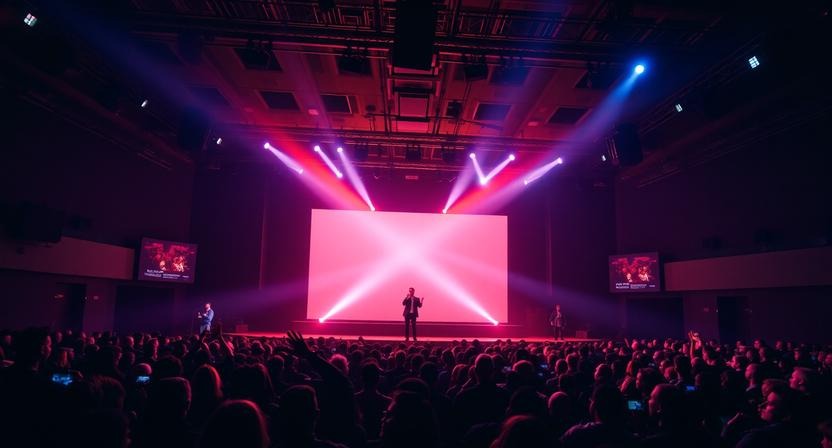
In an era where live experiences define audience engagement, choosing the right presentation software can make or break an event. Whether you’re running worship services, corporate conferences, concerts, or hybrid livestream productions, the demand for reliable, flexible, and powerful tools has never been greater. Enter ProPresenter—a software that has steadily become the gold standard for live event presentation and media playback. In 2026, ProPresenter stands out not just for its feature-rich design, but for the way it adapts to the evolving needs of event producers, technical directors, and creative teams worldwide.
This article explores why ProPresenter is considered the best tool for live events in 2026. From seamless multimedia playback to advanced scripting workflows, we’ll unpack the features, workflows, and trends that make ProPresenter indispensable. Whether you’re a beginner looking to understand why it’s so widely used or an experienced technician seeking deeper insight, this comprehensive piece will answer your questions and give you practical clarity.
What Is ProPresenter and Why It Matters in 2026
ProPresenter is a cross-platform live production and presentation software developed by Renewed Vision. It allows users to display lyrics, slides, videos, graphics, and even live camera feeds in dynamic and synchronized ways. While originally popular in houses of worship, its usage has expanded into corporate events, broadcasts, esports, education, and large-scale concerts.
In 2026, live events are more complex than ever. Audiences expect broadcast-quality visuals, real-time responsiveness, and seamless integration with lighting, sound, and streaming technologies. ProPresenter meets these demands head-on. Its intuitive interface, powerful media engine, and robust hardware support put it at the forefront of modern event production.
What Makes ProPresenter Stand Out
1. Unmatched Live Visual Flexibility
One of ProPresenter’s greatest strengths is its ability to handle diverse media types without sacrificing performance. Whether you’re running animated backgrounds, high-resolution video clips, or real-time lyrics, ProPresenter keeps everything synchronized.
Modern events often involve layered visual storytelling—video backdrops, logo animations, live camera feeds, and cue-based media playback. ProPresenter’s layer-based output system makes this easy. Producers can control what goes on stage, lobby screens, livestream, and confidence monitors independently—all from one interface.
This flexibility is crucial for hybrid events, where audiences may be both in-person and online. ProPresenter lets teams tailor visuals to each audience, enhancing engagement without extra software or complicated setups.
2. Powerful Media Playback with High Performance
ProPresenter’s media engine has long been praised for its stability and performance. In 2026, with event resolutions reaching 4K and beyond, this capability is even more important. The software optimizes playback so that high-resolution videos and animations run smoothly without taxing your system.
Advanced caching, GPU acceleration, and multi-display support ensure that even complex shows stay reliable. Whether your event has multiple stages, screens, or live feeds, ProPresenter scales without compromise.
Event producers can trust that their visuals won’t glitch at critical moments. Performance reliability isn’t just a luxury—it’s a necessity for professional-grade events.
ProPresenter and Live Event Trends in 2026
1. Growth of Hybrid and Remote Events
The proliferation of hybrid events—where audiences engage both in-person and online—continues to grow. Organizers need tools that work seamlessly with livestreaming platforms and codecs. ProPresenter’s NDI support and native integration with streaming workflows make it ideal for hybrid setups.
Using network-efficient streaming protocols like NDI, teams can bring camera feeds into ProPresenter, mix them with graphics, and output customized livestream feeds without requiring extra capture hardware.
This integration simplifies hybrid workflows and reduces the technical burden on production crews. If your event requires polished livestream visuals with lower latency and higher reliability, ProPresenter delivers.
2. Collaboration Between Teams
Today’s events require smooth collaboration between AV teams, designers, stage managers, and content producers. ProPresenter’s interface encourages teamwork. Individual operators can handle specific tasks like lyric updates, media playback, or script execution without interfering with others.
Furthermore, features like Shared Libraries and Cloud Sync let teams prepare content ahead of time and update it in real-time. For large-scale conferences where last-minute changes are common, this capability removes stress and increases productivity.
3. Increased Expectation for Custom Branding
Audiences expect events to reflect strong brand identities. ProPresenter makes it easy to incorporate custom fonts, color schemes, animated logos, and themed visuals into your presentation.
Whether you’re hosting a product launch or a fundraising gala, branding consistency across screens, livestream graphics, and promotional videos enhances professionalism. ProPresenter lets you integrate all of these in a unified workflow, saving time and maintaining a cohesive aesthetic.
Core Features That Drive Success
1. Stage Display and Confidence Monitoring
ProPresenter offers customizable auxiliary outputs such as confidence monitors and stage displays. These screens help presenters and performers stay on cue without interfering with audience-facing visuals.
Confidence monitoring can show script notes, timers, upcoming slides, and cues—features that are invaluable during live events. This tool empowers speakers and artists to deliver smooth, confident performances.
2. Scripting and Automation
For complex productions, manual triggering of every visual cue isn’t practical. ProPresenter’s scripting engine lets teams automate tasks, sync cues with lighting consoles via MIDI/OSC, and even control external devices or software.
With scripting, events can run more consistently and reduce the chance of human error. This level of automation is especially helpful for touring productions and large-scale conferences where precision timing is essential.
3. Integration With Stage and Lighting Systems
Modern live events are multi-sensory experiences. Visuals must sync not just with slides and videos but with lighting cues, audio playback, and even pyrotechnics in some cases. ProPresenter supports control protocols like OSC, MIDI, and TCP, enabling deep integration with lighting desks, audio mixers, and other show control systems.
This integrated approach enhances the audience’s experience and simplifies event operation. When the visuals and lighting work in concert, it feels like a cohesive production—and ProPresenter plays a central role.
User Experience: Designed for Real-Time Control
1. Intuitive Interface
Even with powerful capabilities, ProPresenter’s interface remains surprisingly approachable. Operators can manage playlists, media bins, and live cues without navigating confusing menus. Everything is built around a workflow that prioritizes clarity and speed.
For beginners, the learning curve is gentle. For experienced professionals, the interface is flexible enough to handle demanding live scenarios.
2. Real-Time Editing
One of the biggest advantages of ProPresenter is the ability to make changes on the fly without stopping a show. Need to update a lyric, adjust a countdown timer, or switch a background during a performance? ProPresenter handles it smoothly.
This real-time editing reduces stress during live events and empowers teams to respond to the moment.
Comparing ProPresenter to Other Tools
1. ProPresenter vs. Traditional Presentation Software
Standard office presentation tools (like slides-based apps) work fine for rehearsed corporate meetings—but they struggle in fast-paced live environments. These tools lack multi-screen outputs, real-time media control, advanced scripting, and integrations with AV hardware.
ProPresenter is purpose-built for live shows. It’s not just about slides; it’s a full-fledged live media engine that can handle every visual component of an event.
2. ProPresenter vs. Broadcast Graphics Software
Broadcast software (like dedicated studio switchers or graphics engines) may offer high-end livestreaming capabilities, but they often lack the easy presentation workflow that ProPresenter provides. Many broadcast engines focus on camera switching and lower-third graphics, but they don’t handle multimedia playlists, lyrics, or scripted cues with the same ease.
ProPresenter bridges the gap by delivering broadcast-worthy visuals with the flexibility of a presentation engine—bringing the best of both worlds to live event workflows.
Real-World Use Cases in 2026
1. Houses of Worship
ProPresenter has long been a favorite in worship environments, and it remains a leader here in 2026. Its ability to display lyrics, scripture passages, and background media in sync with live music makes it essential for worship teams.
Features like multi-screen output, remote control via mobile apps, and quick editing make service planning and execution smoother.
2. Corporate Conferences and Product Launches
Corporate events demand professionalism and brand cohesion. With ProPresenter, organizers can schedule media playlists, automate cues, integrate video feeds from keynote stages, and project polished visuals that reinforce brand messaging.
Hybrid attendees benefit from tailored livestream visuals that elevate the digital experience.
3. Concerts and Tours
Live musical performances require a robust and flexible system. ProPresenter handles multiple displays—front-of-house screens, side screens, LED walls, and more—while syncing media with lighting and stage cues.
Touring productions benefit from ProPresenter’s reliability and the ability to recall show files easily when moving between venues.
4. Education and Esports
Educational institutions now host large events with dynamic presentations and shared livestreams. ProPresenter’s multi-screen support, real-time editing, and confidence displays help educators and student producers deliver polished results.
In esports, where visual storytelling and media playback are integral, ProPresenter offers broadcast-level control tailored to live competition.
What’s New in ProPresenter 2026
1. Enhanced Cloud Collaboration
The 2026 version of ProPresenter introduces improved cloud synchronization, allowing teams to collaborate remotely on show files, layouts, and media libraries. This is especially helpful for large organizations with distributed teams.
Cloud workflows reduce duplication of effort and ensure everyone is working from the most current content.
2. AI-Assisted Media Suggestions
ProPresenter now includes AI-assisted media suggestions to help producers select visuals that complement your content. For example, if your slide title includes keywords like “celebration” or “community,” the software can suggest relevant background clips, motion graphics, or textures that match your theme.
These suggestions speed up content creation and spark creative ideas.
3. Deeper Platform Integrations
ProPresenter 2026 expands its compatibility with popular AV hardware and software ecosystems. Enhanced APIs let event teams connect ProPresenter to house control systems, lighting consoles, and streaming platforms more seamlessly.
This interoperability is critical for large-scale productions demanding reliable, synchronized control across multiple departments.
Tips for Getting the Most Out of ProPresenter in 2026
1. Standardize Your Media Library
Organize videos, images, and templates in a consistent folder structure. Naming conventions and metadata tagging make it faster to find media during run-of-show moments.
A well-maintained library saves time and reduces stress during rehearsals and live events.
2. Use Playlists and Scripts for Complex Shows
For multi-session events or concerts, use playlists to sequence your content. Scripting can automate transitions, trigger lighting cues, or prepare outputs ahead of time.
This approach brings consistency and professional polish to every part of your show.
3. Train Your Team on Real-Time Tools
Make sure your team knows how to use real-time editing, stage display customization, and confidence monitor features. These tools improve communication between production staff and on-stage talent.
With trained operators, live events run smoother and look more professional.
Conclusion
In 2026, successful events demand software that blends flexibility, reliability, and creative control. ProPresenter checks all these boxes and more. It’s a comprehensive solution capable of managing the most demanding live environments—from houses of worship to global conferences, concerts, and hybrid broadcasts. With its powerful media engine, multi-display support, advanced automation, and deep integrations, ProPresenter isn’t just a presentation tool—it’s the backbone of modern live production workflows.
Facebook comments